Passport Photo Guide: Rules for Adults, Kids, Babies & Women

By Emma Reed
MyClaw Editorial
Passport Photo Maker
Create a Clean Passport-Style Photo
Start with a guided preset, then verify the image against your issuing authority's size, crop, and editing rules.
Try Passport Photo MakerAI Takeaway
- What should you check first? Use the official rules for the passport's issuing country and your application method. Photo dimensions, age limits, backgrounds, digital uploads, and child exceptions are not universal.
- What makes a passport photo broadly acceptable? Submit a recent, clear, correctly framed photo with even lighting, a permitted plain background, a front-facing pose, and an unobstructed face.
- Do kids and babies follow the same rules? Usually they start with the adult standard, but some authorities relax gaze, expression, or eye-opening requirements for specific ages.
- Can you use an AI passport photo maker? Only if the issuing authority permits it. MyClaw can create a passport-style image, but it does not guarantee acceptance. Current U.S. and Canadian rules reject AI changes, while UK applicant guidance requires an unedited photo.
Check the Issuing Country Before You Take the Photo
There is no worldwide passport photo size. A U.S. paper application uses a 2 × 2 inch (51 × 51 mm) photo, with a 1–1⅜ inch (25–35 mm) head. Canadian prints are 50 × 70 mm with a different head-height range. UK online applications follow digital capture rules rather than a U.S.-style square.
The passport's issuing authority—not your destination—sets the standard. Check whether you are applying online, by mail, or in person because print and digital specifications may differ.
Before taking a picture, record six details from the official source: photo dimensions, head size or crop, permitted background, how recent the image must be, file or paper requirements, and any age or medical exceptions. Check them again shortly before submitting because rules can change.
Passport Photo Guidelines That Apply to Most Applicants
Background, Lighting, and Image Quality
Use the permitted plain background color, which may be white, off-white, light gray, or another specified shade. Keep patterns, texture, objects, and other people out of frame.
Light the face evenly from the front. Avoid shadows, glare, red eye, overexposure, grain, and motion blur. The result must show natural skin tone and clear facial features.
Framing, Pose, and Expression
Face the camera directly with the head upright and shoulders square. Keep the full face inside the authority's measurement guide; do not tilt, turn, or look down.
A neutral expression with open eyes and a closed mouth is safest. Some authorities permit a slight closed-mouth smile. Hair must not cover the eyes or required facial edges.

Clothing, Glasses, Headwear, and Accessories
Wear normal clothing that contrasts with the background. Uniforms and camouflage may be prohibited. Remove sunglasses and tinted lenses; clear glasses are country-specific and must never obscure the eyes or create glare.
Fashion hats are normally barred. Religious or medical coverings may be accepted when the full face is visible and shadow-free, sometimes with documentation. Jewelry must not hide the face or reflect light.
How to Take a Passport Photo at Home
First confirm that home capture is allowed. The U.S. and UK provide ways to use a photo taken by another person, while Canada currently requires a commercial photographer for its passport-photo process.
Set Up the Background and Camera
Use a compliant plain surface and leave space between the subject and wall to reduce shadows. Put the camera at eye level, clean the lens, disable filters and beauty modes, and use soft, even frontal light.
Capture Several Original Frames
Ask someone else to take the picture or stabilize the camera if allowed. Use the rear camera when practical and capture several frames. A close handheld selfie can distort facial proportions and complicate centering.
Measure, Print, or Upload Exactly as Instructed
Compare the original with the current template: head measurement, margins, resolution, file size, and paper type. Retake errors instead of stretching the image, replacing the background, or altering the face.
Pixel dimensions are not print dimensions. A 1024 × 1024 square is not automatically a compliant 2 × 2 inch photo; print scale and head placement still need checking. Confirm whether any online maker actually applies country rules, biometric checks, or a print-sheet layout.
Where digital generation is permitted for the specific document, MyClaw Passport Photo Online can create a passport-style starting point. It is not a substitute for the issuing authority's rules.
How to Use MyClaw's Passport Photo Maker
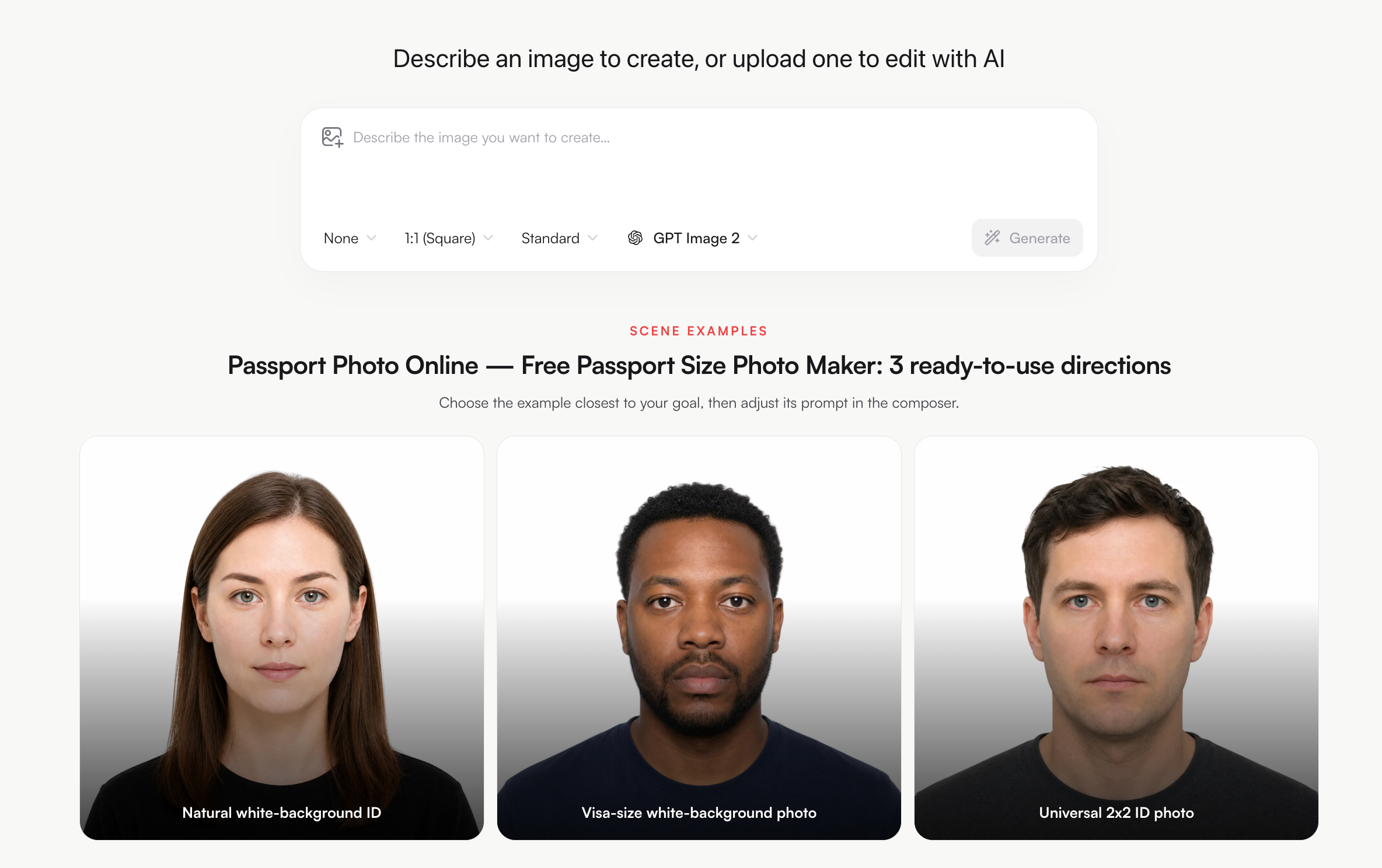
MyClaw Passport Photo Maker offers three editable passport-photo prompts. Treat them as composition aids, and begin only after confirming that the issuing authority permits AI-generated or digitally altered images.
Step 1: Choose the Closest Passport Photo Direction
Choose Natural white-background ID, Visa-size white-background photo, or Universal 2x2 ID photo. Select the closest editable brief, then check AI Chat pricing for current generation limits.
Step 2: Add a Clear Reference and Refine the Prompt
Attach an authorized, front-facing reference. Specify a neutral pose, even light, a plain background, and natural proportions. Remove beautification, retouching, or instructions that conflict with official rules.
Step 3: Generate, Download, and Run the Official-Rules Check
Generate and download the result, then check its crop, background, format, recency, and editing method. If AI creation or digital correction is prohibited, submit an original photo instead.
Passport Photo Guidelines for Kids
Children follow adult technical rules unless the authority publishes an age-specific exception. Confirm the exact age band; one country's under-six allowance may not apply elsewhere.
Keep the child alone, facing forward as required, with the face visible. Remove toys, pacifiers, and supporting hands. Use even light and burst mode to reduce blur. Patient retries are better than correcting a poor frame later.
Photograph a rested child and mark the camera position in advance. This reduces repositioning and helps capture a natural expression without digital correction.
A child's identity photo deserves extra care online. A parent or guardian should review the service's data handling—such as the MyClaw privacy policy—before uploading a reference image, and avoid uploading it when the tool is unnecessary.
Passport Photo Guidelines for Babies
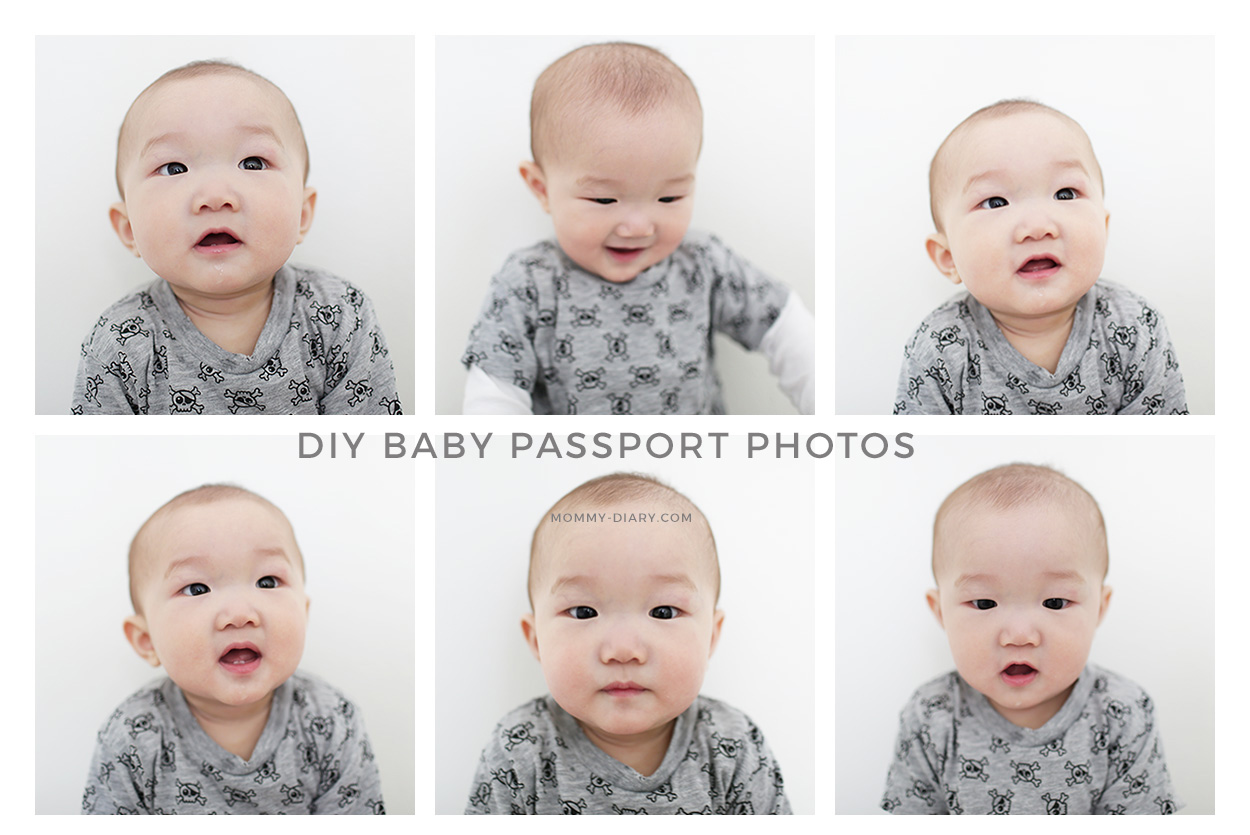
Lay the baby on an approved plain sheet, or cover a supportive car seat if permitted. Shoot directly above or straight in front. Avoid folds, shadows, visible straps, hands, and another person's body.
Try after a feed or nap. Use soft light, have another adult attract attention from behind the camera, and shoot a rapid series rather than edit one frame.
Infant exceptions differ. Current U.S. guidance allows a baby's eyes to be not entirely open, while all other children must have open eyes. UK rules allow children under one to have closed eyes and children under six to relax the direct-gaze and plain-expression requirements. Canada allows some range in a newborn's expression. These exceptions do not remove the need for a clear, current likeness with the full face visible.
Passport Photo Guidelines for Women

There is no universal set of separate passport photo rules for women. The face must remain recognizable and unobstructed.
Hair may usually be up or down but must not cover the eyes or required facial edges. Makeup should not conceal distinguishing features or create an inaccurate likeness. Jewelry must not hide the face or create glare.
Choose clothing that contrasts with the background, and check makeup or reflective products under direct light. The result should still look like you in ordinary conditions.
Religious or medical head coverings are often permitted, but conditions vary. Keep the face visible from chin through forehead without fabric or shadow obscuring features. Some applications require a signed explanation or medical statement; rules about color, patterns, ears, and documentation are country-specific.
Passport Photo Mistakes That Cause Delays
| Problem | Why it fails | Safest fix |
|---|---|---|
| Wrong dimensions | Country and application formats differ | Use the current official template |
| Busy or wrong-color background | Reduces contrast or violates the specification | Retake against an approved plain surface |
| Face or wall shadows | Hide features and affect biometric matching | Reposition the subject and use even frontal light |
| Blur, glare, or red eye | Produces an unclear likeness | Stabilize the camera and retake |
| Tilted head or blocked face | Prevents reliable identification | Face forward and clear hair or accessories |
| Another person in a child photo | The applicant must appear alone | Use a sheet or covered support and keep hands outside the frame |
| Old photo | Does not show current appearance | Take a new photo within the stated period |
| Digital or AI alteration | Many authorities require an original image | Retake instead of retouching |
Changing the model does not turn a generator into an official compliance checker. The GPT Image 2 guide explains reference-led generation as a creative workflow; a passport authority makes the acceptance decision.
Final Check Before You Submit
Reopen the issuing authority's official instructions on submission day. Confirm every measurement, the applicant's age exception, the original file or print quality, and the policy on digital changes. If any element is uncertain, retake the photo. A few extra minutes before submission are safer than trusting a generic template and risking an avoidable delay.
Create Your Passport-Style Photo with MyClaw
Choose a preset, add a clear reference, and generate a starting point—then check every detail against the official requirements before you submit.
Try Passport Photo Maker