Qwen Image 2.0 vs Nano Banana (and Pro): SKU Map & When to Pick

By Alex Morgan
MyClaw Editorial
MyClaw
Run Best-in-Class AI Agents Now
Run OpenClaw or Hermes Agent on managed MyClaw hosting, so your AI agent stays online, updated, and ready for real work.
AI Takeaway
- What is Qwen Image 2.0?Qwen Image 2.0 is Alibaba’s Qwen-Image-2.0 series (
qwen-image-2.0accelerated plusqwen-image-2.0-pro): unified text-and-image generation and editing, up to ~2K, with a strong EN/CN typography pitch on long layout prompts. - What is Nano Banana?Nano Banana is Google’s official nickname for Gemini’s native image family — not Imagen, and not MyClaw’s NanoClaw — spanning legacy Flash Image, Nano Banana 2, Lite, and Pro under Gemini API IDs.
- What is Nano Banana Pro?Nano Banana Pro maps to
gemini-3-pro-image: the studio tier for reasoning, branding control, multilingual in-image text, Search grounding, and up to 4K output. - How do list API prices roughly compare at 1K–2K?DashScope Singapore list rates put accelerated Qwen Image 2.0 near $0.035 per image and 2.0-Pro near $0.075; Gemini paid tiers put Nano Banana 2 near ~$0.067–$0.101 and Nano Banana Pro near ~$0.134 for 1K/2K (higher at 4K). Provider stickers move; none are MyClaw Chat prices.
- When should you pick Qwen 2.0 vs Banana Flash vs Banana Pro first?Choose Qwen 2.0 / 2.0-Pro for bilingual posters and volume ~2K jobs; Banana 2 / Flash for fast chat-style iteration; Nano Banana Pro when 4K, studio branding, or grounded graphics outweigh list dollars.
SKU Map: Qwen Image 2.0 and the Nano Banana Family
Lock names before any side-by-side. Qwen Image 2.0 is Alibaba’s Model Studio / DashScope image series — API IDs qwen-image-2.0 and qwen-image-2.0-pro (plus dated snapshots) — with text-plus-image input, image output, and unified generation plus editing. Native resolution spans 512×512 to 2048×2048 (2048² is the common default). Access runs through DashScope regional endpoints (Singapore and Beijing use separate keys) and Qwen Chat.
Nano Banana is Google’s official label for Gemini native image (not Imagen; not NanoClaw):
| Nickname | Official model | API ID (approx.) | Role |
|---|---|---|---|
| Nano Banana (legacy) | Gemini 2.5 Flash Image | gemini-2.5-flash-image | Original fast gen/edit; Google is migrating users off |
| Nano Banana 2 | Gemini 3.1 Flash Image | gemini-3.1-flash-image | Current high-volume Flash image; up to 4K |
| Nano Banana 2 Lite | Gemini 3.1 Flash Lite Image | gemini-3.1-flash-lite-image | Cheapest / fastest Lite path |
| Nano Banana Pro | Gemini 3 Pro Image | gemini-3-pro-image | Studio / reasoning / grounding / up to 4K |
Alibaba docs already list Qwen-Image-3.0 / qwen-image-3.0-pro as recommended siblings. This post stays on the 2.0 keyword — acknowledge 3.0, then pick by job, not brochure recency. For Alibaba brand context beyond images, see the Chinese AI model roundup.
Qwen Image 2.0 vs Nano Banana Pro at a Glance
| Axis | Qwen Image 2.0 / 2.0-Pro | Nano Banana Pro |
|---|---|---|
| Max res | ~2K (2048² pixel budget) | Up to 4K |
| Typography / layout | Strong EN/CN long-layout pitch | Strong multilingual in-image text + branding |
| Grounding | Not Google Search-grounded the same way | Search grounding (tier-dependent) |
| List $ (public API) | ~$0.035 / ~$0.075 Singapore | ~$0.134 at 1K/2K; ~$0.24 at 4K |
| Ecosystem | DashScope / Model Studio | Gemini API, AI Studio, Vertex, Gemini app |
Subjective arena scores are prompt-dependent — treat community A/Bs as n=1, not official ranks.
Where Qwen Image 2.0 Usually Wins
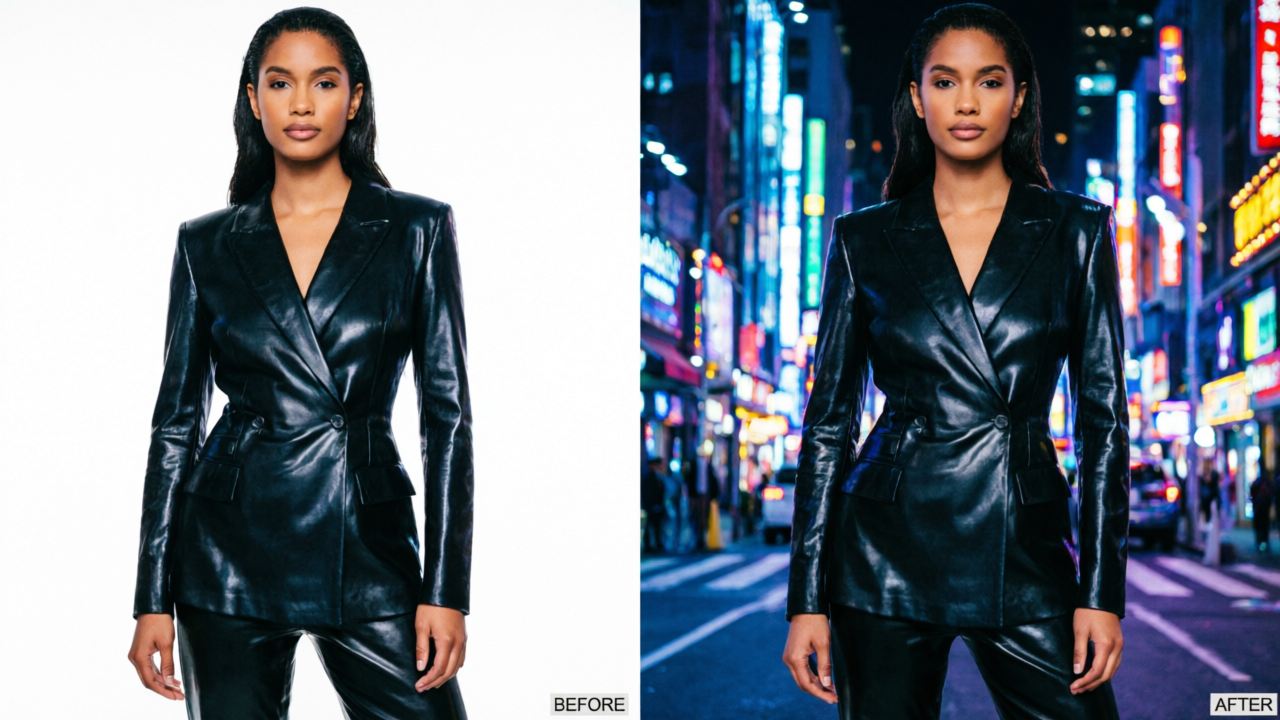
Reach for Qwen Image 2.0 first when the job is a layout: bilingual posters, PPT frames, comic panels, or long briefs that need readable English and Chinese type in one frame. If the brief fails when a title, caption, or stamp becomes gibberish, text fidelity beats chasing maximum pixel count.
Volume ~2K runs are the other sweet spot. Accelerated qwen-image-2.0 list pricing often undercuts Gemini Flash-image 1K/2K stickers; qwen-image-2.0-pro sits mid-band when you want fuller quality without Banana Pro’s 4K bill. One Alibaba series covering gen-plus-edit also helps when “make it” and “fix it” should stay on one vendor. For scene backdrops rather than typed posters, a custom AI background generator workflow can sit beside either model.
Where Nano Banana (Flash) and Pro Usually Win
Nano Banana / Banana 2 for Speed and Iteration
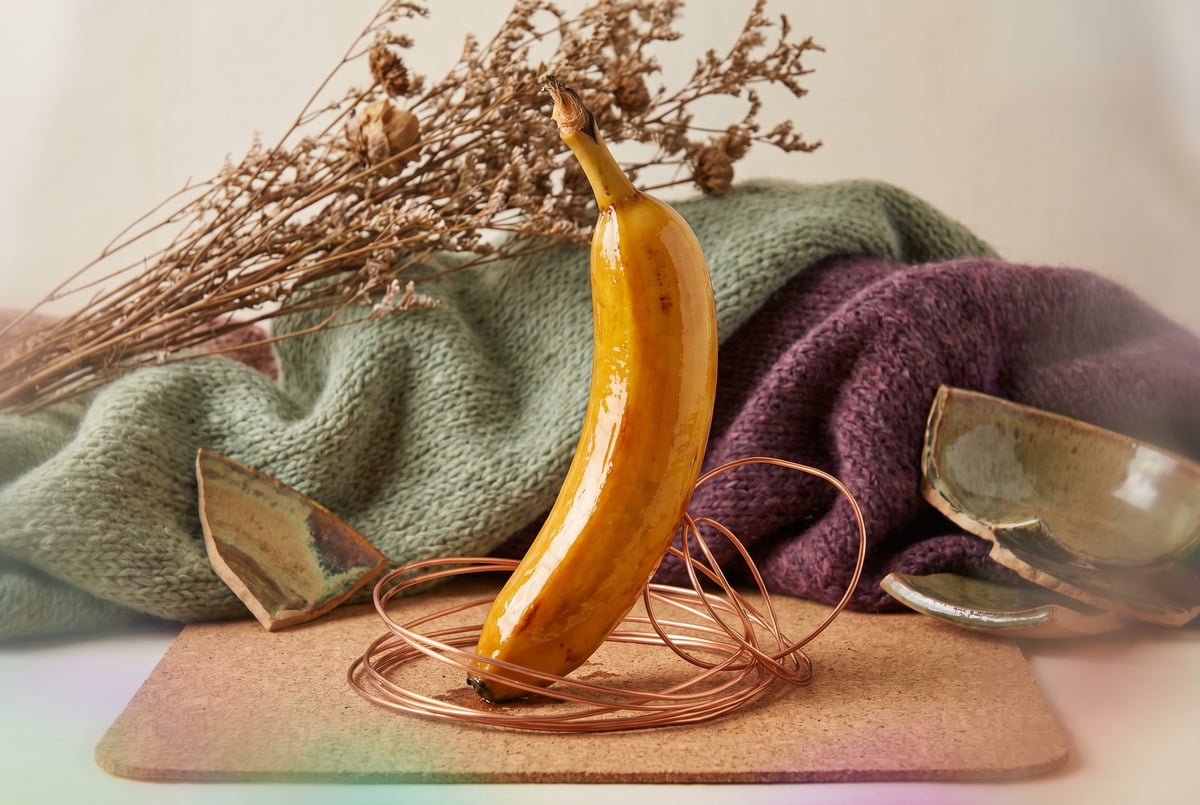
Legacy Nano Banana (gemini-2.5-flash-image) and Nano Banana 2 (gemini-3.1-flash-image) own the fast loop: chat-style multi-turn edits, consumer Gemini surfaces, and high-volume Flash image when latency beats studio ceilings. Banana 2 also reaches 4K on the Flash path. Use it to explore compositions, refine reference blends, or ship many variants before a polish pass.
Nano Banana Pro for 4K Studio and Grounded Graphics
Nano Banana Pro (gemini-3-pro-image) is the secondary-keyword payoff: 4K output, branding and studio control, strong multilingual in-image text claims, and Search grounding for live-info infographics. Pick Pro when the brief needs print-adjacent resolution, branded packshots, or graphics that must pull current facts via grounding. Gemini image stays closed; original Qwen-Image weights were open, but 2.0 weight availability remains uncertain. Peer context without a third winner: GPT Image 2.5.
Pricing and Limits Without the Marketing Fog
Compare dollars at the same resolution. DashScope Singapore list (research snapshot): qwen-image-2.0 ~$0.035/image and qwen-image-2.0-pro ~$0.075/image (Beijing rows a bit lower). Gemini paid tiers put legacy Banana near ~$0.039, Banana 2 near ~$0.067 at 1K / ~$0.101 at 2K / ~$0.151 at 4K, and Nano Banana Pro near ~$0.134 at 1K/2K and ~$0.24 at 4K. Those are provider list stickers — they move — and they are not MyClaw Chat or hosting prices. Always compare at the same resolution band before calling either side “cheaper.”
Caps: Qwen 2.0 tops out near 2K; Banana Pro and Banana 2 climb to 4K. Accelerated 2.0 also lists much higher RPM than Pro. Watermark and ToS diverge (optional Qwen-Image watermark vs Gemini SynthID); do not invent commercial reuse rights. Peer image pricing-and-workflow read: GPT Image 2.
Honest Strengths and Limits
Pros:
- Clear nickname-to-API map once Nano Banana is treated as the Gemini native-image family
- Job fit splits cleanly: Qwen 2.0 for bilingual ~2K layouts and volume list $; Banana 2 for speed loops; Banana Pro for 4K / studio / grounding
- Unified gen+edit on both sides (Alibaba series vs Gemini multi-turn + references)
- Public DashScope and Gemini list rates enable same-res apples-to-apples
Cons:
- “Nano Banana” alone spans four SKUs — pickers and posts mix legacy Flash, Banana 2, and Pro
- Regional keys and ecosystems differ (DashScope Beijing/Singapore vs Gemini / Vertex)
- Qwen-Image-3.0 already exists on docs while this KW stays on 2.0 — newest-badge shoppers can drift
- Arena scores conflict; treat polish claims as soft
- Open weights for Qwen-Image-2.0 remain uncertain even though earlier Qwen-Image releases were open
On MyClaw, guest Chat access is capped — limited guest try with automatic routing and a single guest chat, not forever-free image tokens. Details: AI Chat pricing. Chat plans stay separate from provider image list rates.
Try Image Models in MyClaw Chat
MyClaw is a peer try surface, not a parent ranking over Qwen or Banana. Use Chat to compare whichever image-capable IDs your picker lists — and say so if a brochure SKU is missing.
Step 1: Open Chat and Check Live Image Model IDs
Open MyClaw AI Chat and scan for live image labels — Qwen Image 2.0 / 2.0-Pro, Nano Banana 2 / Flash image, or Nano Banana Pro — only if listed. If absent, run the closest live ID, note the substitution, and avoid forcing a brochure string. Guests get a limited try under automatic routing; signed-in plans unlock available models under Chat fair-use rules.
Step 2: Freeze One Poster or Edit Job Across Two Models
Lock one bilingual poster, comic panel, or edit brief with a written pass/fail rule before the first render. Run the same frozen prompt on two live IDs — Qwen 2.0 vs Banana 2, or Qwen 2.0-Pro vs Nano Banana Pro — and score with the asset, not another host’s screenshot.
Step 3: Keep the Workspace Online for Swaps
When winning prompts should survive laptop sleep, keep the workspace online so you can swap Qwen ↔ Banana Flash ↔ Banana Pro without rebuilding the brief. Soft next step: start in Chat, then host when the loop must stay up. Sign in to keep conversations; do not invent MyClaw $ for any image SKU.
Final Call: Match the SKU to the Job
Default to Qwen Image 2.0 / 2.0-Pro for bilingual layout volume at ~2K. Default to Nano Banana 2 / Flash for fast iteration and high-volume variants. Default to Nano Banana Pro when 4K, studio branding, or grounded graphics clear a higher bar than list dollars. Acknowledge Qwen-Image-3.0 exists, then stay on the job — not the newest badge.
Start with one frozen Chat try, note picker substitutions, then wire production keys on DashScope or Gemini. Qwen and Banana sit at the same peer level; MyClaw is just a place to try the SKUs your workspace exposes.
Skip the Setup, Run Best-in-Class AI Agents Now
Launch a managed OpenClaw or Hermes Agent workspace in minutes, with always-on hosting, updates, and support handled by MyClaw.