Sintra AI Reviews 2026: Pricing, Credits and Refund Terms

By Alex Morgan
MyClaw Editorial
MyClaw
Run Best-in-Class AI Agents Now
Run OpenClaw or Hermes Agent on managed MyClaw hosting, so your AI agent stays online, updated, and ready for real work.
AI Takeaway
- Is Sintra AI worth it? It suits small businesses that want ready-made role helpers for drafting, but the 250-credit monthly allowance and the refund fine print should decide the purchase (Sintra pages, October 15, 2026).
- How much does Sintra AI cost? Sintra's pricing page shows a sale at $48.50 a month on the 1-month plan, $23.60 on the 3-month plan and $15.60 on the 12-month plan, with single helpers at $39 a month, though its own FAQ still says prices start from $48.50.
- Does Sintra offer a refund? Its refund page promises a 14-day money-back guarantee on web-checkout purchases only, and credit top-ups are non-refundable, while its Terms describe a narrower no-refund rule.
- What do users complain about? Reported by users: credits running out, refund and cancellation friction, and support experience, though we could not open Trustpilot ourselves to confirm any rating.
- Is there an alternative? For a single always-on agent instead of twelve role helpers, an agent hosted on MyClaw serves a different need and is no like-for-like swap.
Sintra AI Reviews: Quick Verdict
Sintra sells "AI employees": twelve named helpers, each aimed at one business role, sharing one memory called Brain AI. For a solo founder or small team that wants social posts, email copy, SEO drafts and support replies without setting anything up, that is an easy pitch. The catch is how the product is metered and refunded. Its tasks draw on a monthly credit allowance, and the money-back terms depend on where and when you buy. Sintra describes credits two ways: the pricing FAQ says they are needed only for advanced AI actions, while the Terms say they cover tasks from sending messages to generating websites.

Our verdict: a reasonable drafting toolkit if your volume is modest, and a risky one if you plan to lean on it daily or want flexible refunds. All Sintra figures here are vendor-stated and were read from sintra.ai on October 15, 2026. For how this kind of product fits the wider field, see our roundup of the best AI agents.
How Sintra AI Works: Helpers, Brain AI and Integrations
Sintra's pricing page names the twelve helpers: Cassie for customer support, Soshie for social media, Penn for copywriting, Seomi for SEO, Dexter for data analysis, Buddy for business strategy, Emmie for email marketing, Gigi for personal growth, Scouty for recruiting, Commet for eCommerce, Milli for sales and Vizzy as an executive assistant. Each comes with one-click "Use Cases", such as an SEO auditor, a cold email generator or a meal planner.
Brain AI is the shared memory. Sintra says you can add information about your brand, including websites and files, and every helper can use it. It also lists support for more than 100 languages.
Two details deserve a careful read. First, integrations: the pricing page says 15+ integrations, while the site navigation says you can connect 1000+ tools. We cannot tell which figure applies to your plan. Second, autonomy: Sintra's Terms say you are responsible for configuring "Autopilot" or recurring tasks, that you must monitor what the helpers do, and that critical systems should have human-in-the-loop safeguards.

Sintra AI Pricing and Credits in 2026
Sintra's pricing page presents a sale on a bundle called Sintra X, which includes all twelve helpers. Prices are shown per month ("/mo").
| Plan | Struck-through price | Sale price | Discount shown |
|---|---|---|---|
| 1-month | $97 a month | $48.50 a month | 50% |
| 3-month | $59 a month | $23.60 a month | 60% |
| 12-month | $52 a month | $15.60 a month | 70% |
Buying a helper on its own is listed at $39 a month. Every bundle lists 250 monthly credits, 15+ integrations and a 14-day money-back guarantee. The page does not say when the sale ends, and it does not state the amount charged at checkout for the 3-month and 12-month plans. Our own arithmetic, assuming upfront billing: $23.60 for three months would be $70.80 and $15.60 for twelve months would be $187.20, but treat these as estimates until you see the checkout total. The FAQ on the same page says pricing "starts from $48.50/m", which does not match the lower sale figures above.
Credits are the real constraint. Sintra's Terms say the allowance is 250 credits a month, used for tasks from sending messages to generating websites. Credits reset each billing cycle, leftovers do not carry forward, and they cannot be transferred or refunded. If you run out, some features may be restricted until renewal, and top-ups are final sales. Sintra also reserves the right to change credit costs and allowances.

Refund Policy and Cancellation Terms
Sintra publishes two descriptions of refunds, and they differ.
The refund page promises a 14-day money-back guarantee from the transaction date, for purchases made on web checkout at sintra.ai only. Purchases through Apple's or Google's app stores follow those stores' own rules. You request a refund by email, Sintra says it replies within 1 to 2 business days, and approved refunds return to the original payment method in 5 to 7 business days. Access ends immediately, and credits and top-ups are not refundable.
The Terms of Service say cancelling stops future renewals but does not reverse charges already made, and that deleting the app does not cancel a subscription. Their refund clause says Sintra follows a no-refund policy unless the product is proven faulty or not as described, with a 14-day window. That is narrower than the guarantee on the refund page, though the Terms also say specific offers can carry different stated refund terms.
Practical advice: save a screenshot of the checkout terms, cancel in account settings before the renewal date, and ask for a refund in writing within the 14 days.
What Users Report: Third-Party Reviews
The following comes from public reviews seen on October 15, 2026, and is reported by users, not verified by us. We cite no ratings or review counts, because we could not open Trustpilot directly and the regional pages we saw in search results disagreed.
The recurring themes were credits running out faster than expected, the cost of getting more capacity, difficulty with cancellation or refunds, and frustration with support replies. Search results showed a Trustpilot notice in place of a TrustScore, citing incentivised reviews, but we could not open the page to confirm it, so we do not rely on it. Treat any star average you find elsewhere with caution. Some users reportedly praise the helpers for quick drafts.
None of this proves a problem in your case, but it matches the pressure points in Sintra's own terms: credits, renewals and refunds. For how we handle review pages for other agents, see our Manus reviews roundup.
Sintra AI Pros and Cons
Pros
- Twelve role-based helpers with nothing to set up.
- Brain AI lets every helper reuse your brand context.
- Support for more than 100 languages, per Sintra.
- A stated 14-day money-back guarantee on web purchases.
Cons
- A 250-credit monthly cap that does not roll over.
- Top-ups and credits are non-refundable.
- The refund page and Terms describe refunds differently.
- Integration counts and sale pricing are unclear on the page.
- Auto-renewal at then-current rates.
Who Should Use Sintra AI
Sintra fits a solo founder or small team that wants drafting help across marketing, email, SEO and light support, at a modest and predictable volume. It is easier to justify if you buy through web checkout, set a calendar reminder for the 14-day window and watch credit use in the first week.
It fits less well if you want heavy daily automation, since the credit cap is the limit, or if you need flexible refunds. For serious support operations, a dedicated tool is a better match, and the piece on automating customer service with agents covers that route.
A Hosted Alternative: MyClaw
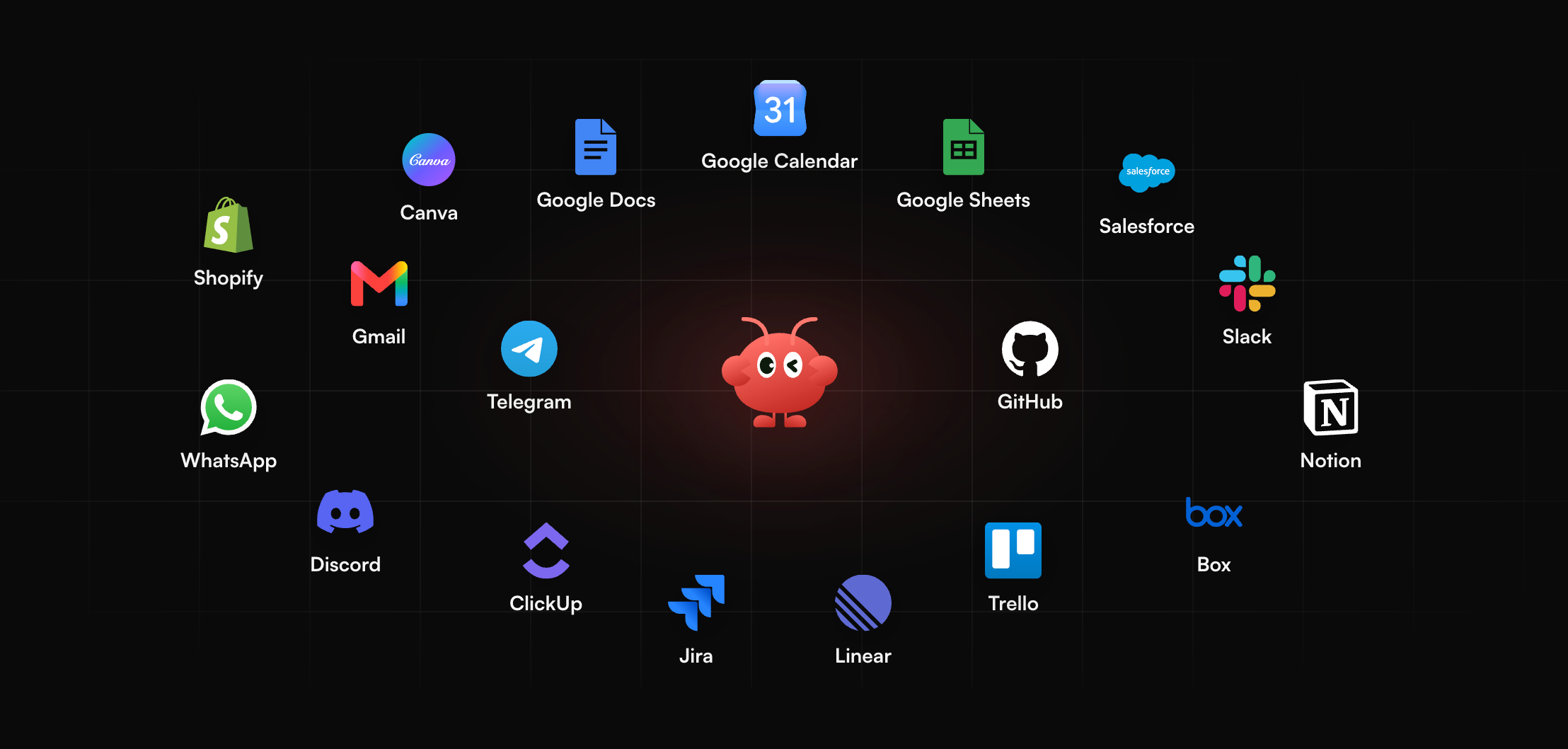
Prefer one general-purpose agent over twelve role helpers? MyClaw is a separate approach, not a straight replacement. MyClaw describes itself as a managed platform for deploying and running AI agents. It supports OpenClaw and Hermes Agent, keeps them running 24/7, and lets you reach your agent through email, Telegram, WhatsApp or the browser. It can connect to your files, apps and data, and its homepage lists inbox triage and scheduled reports among its uses (MyClaw homepage, October 15, 2026). We make no claims about prices or about how it compares with Sintra on cost, and it has no built-in role library.
Pros
- Always on, with scheduled jobs running while you are away.
- Reachable from channels you already use.
- You decide which jobs the agent takes on.
Cons
- You define the work rather than picking a ready-made role.
- No prebuilt marketing or support templates are claimed.
- Start a MyClaw agent running OpenClaw or Hermes. Learn the basics in our explainer on what OpenClaw is.
- Choose which files and apps it may read; also connect your chat app, where it reports back.
- Assign one recurring job, such as a morning inbox digest, and review the results. The Hermes Agent guide covers the second framework.
Skip the Setup, Run Best-in-Class AI Agents Now
Launch a managed OpenClaw or Hermes Agent workspace in minutes, with always-on hosting, updates, and support handled by MyClaw.